PropMetrics + your AI
Ask your AI about any property.
Connect PropMetrics to Claude, ChatGPT, Perplexity, or any app that supports MCP, and chat about real properties. Rent estimates, listings, market data, all in plain English.
Free to try. Uses your monthly PropMetrics searches, same as the website.
Try saying things like this
Set it up in a minute
- 1
Copy your connection URL.
One URL works everywhere. It's the same for every app below.
Sign in to get your URL - 2
Paste it into your app.
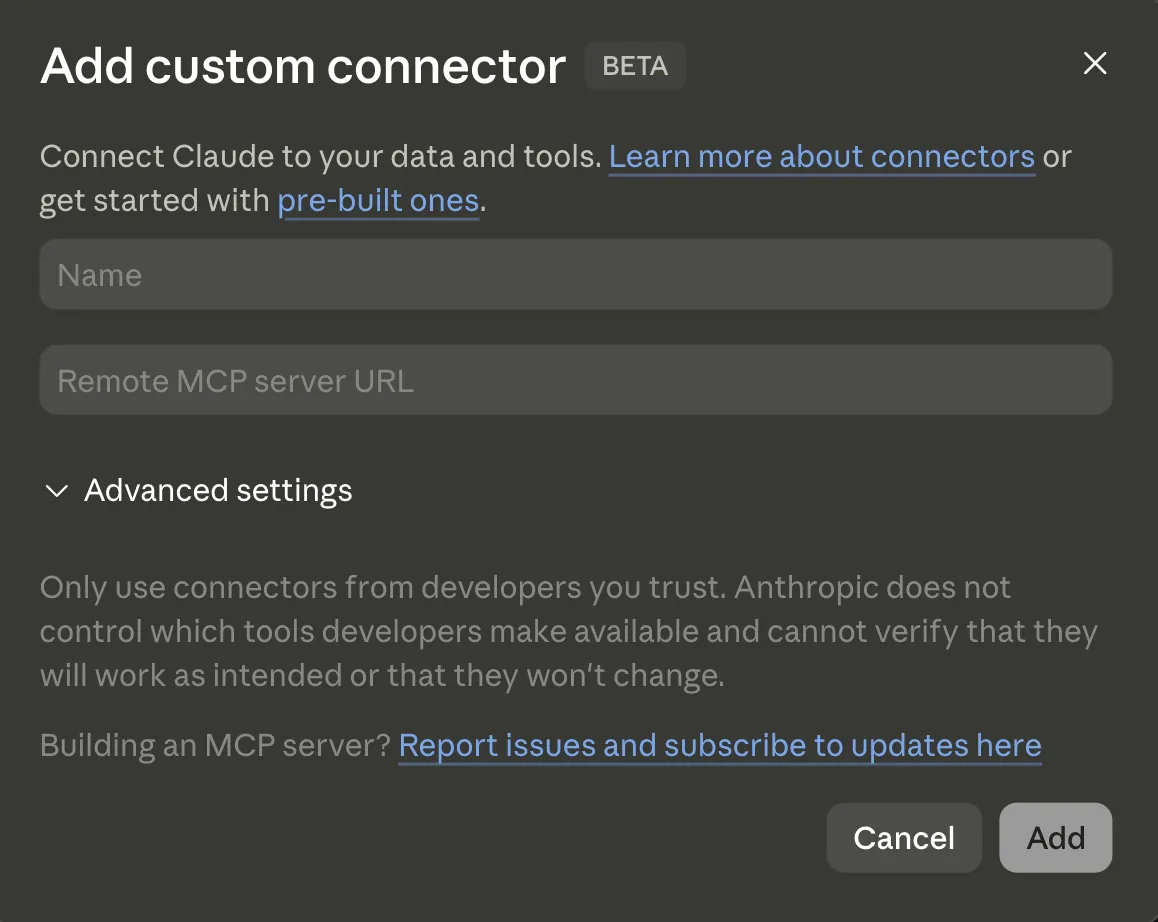
Claude
Customize → Connectors → Add custom connector. Paste the URL, click Add.
ChatGPT
Settings → Security → turn on Developer mode, then Settings → Connectors → Create: paste the URL, choose OAuth. Paid plans only.
Grok
Plugins → Add connector → Custom. Enter a name and the URL, that’s it. Paid plans only.
Perplexity
Settings → All settings → + Custom connector → Remote. Paste the URL. Paid plans only.
VS Code
Run this in your terminal, then sign in when your browser opens:
OpenClaw
Run these, then sign in in your browser:
Hermes
One command. Your browser opens to sign in:
Windsurf, Cline & other MCP apps
Any tool that supports MCP works. Add a custom server with the URL and sign in, or paste this wherever the app takes a JSON server config:
- 3
Sign in with Google.
Your browser opens the PropMetrics approval screen. Approve it, then start a chat and try one of the prompts above.
Common questions
Is it free?+
Yes, you can try it on the free plan. Chat lookups use the same monthly search count as the website, so on the free plan you'll get a handful before you hit the limit. Upgrade for more. Saving properties and looking up Fair Market Rent are always free.
What apps does this work with?+
Claude, ChatGPT, Perplexity, and Grok all support custom connectors. The same URL works in each. So do developer tools like Cursor, VS Code, Windsurf, and Cline, and agent apps like OpenClaw and Hermes. If an app lets you add a custom MCP server, it'll work here. Note that ChatGPT, Perplexity, and Grok keep custom connectors on their paid plans. Claude includes one custom connector on the free plan.
What is a real estate MCP server?+
MCP (Model Context Protocol) is how AI apps connect to outside data. PropMetrics runs a real estate MCP server, so when you ask Claude or ChatGPT about a property, it pulls real rent comps, listings, and market data instead of guessing. You get actual numbers in the same chat you already use.
The connector is added but tools don't show up in chat?+
Most AI apps let you toggle connectors per chat, so check that PropMetrics is switched on for the conversation you're in. In Claude that's the + button at the lower left of the message box, then Connectors. If it still doesn't appear, remove the connector and add it again. That refreshes the app's cached copy of the tool list.